
Bridge and railway generation for Farming Simulator in MapToPlay
Build custom bridges and interchanges, add guardrails and fences, generate FS25 railways and train routes, and draw precisely with Snap to grid.
Hey guys!
In the last Road Constructor update, I showed detailed roads, sidewalks, islands, roundabouts, and working AI traffic. I also said there was much more I wanted to add.
Concrete & Steel is the next chapter. This time you can build bridges for cars and trains, shape your own interchanges, add guardrails and fences, and generate railways with working train routes. Apparently, one kind of traffic was not enough to keep me busy.
Bridges and custom interchanges
The new Bridge Constructor lets you choose the deck shape, depth, and textures, then add pillars and abutments. Adjust the height and approach ramps directly in the Editor. Move individual pillars along the span or remove them where you need more room underneath.
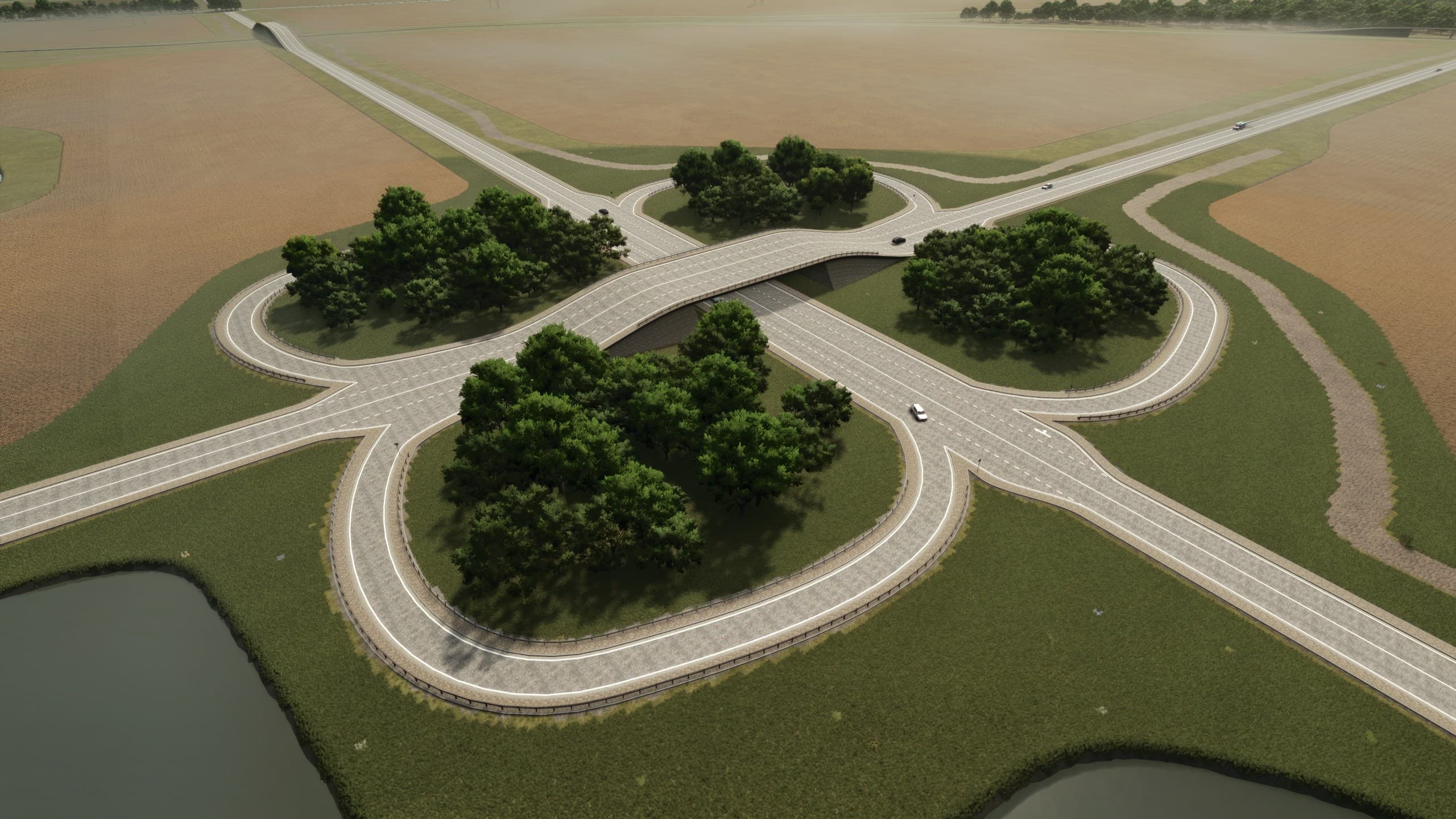
Combine bridges with extra lanes and curved connections to build your own highway interchanges. Add a merging lane, draw a slip road, or shape a cloverleaf loop with the Arc tool. Roads passing at different heights stay separate. Roads that actually meet can connect, with generated AI traffic following the lane directions and usable connections.
Guardrails follow road edges, bends, widened lanes, and bridge ramps. You can also place them around junction corners while keeping entrances and exits clear. Choose a family and the rails, posts, and end pieces are fitted along the selected stretch.
Road bridges and interchange geometry export to Farming Simulator 22 and 25. The supplied steel guardrail family is for FS25. Bridge supports are still built per bridge, so check the pillars and decks where several elevated roads meet.
Railways with working train routes
FS25 now has a railway collection and a dedicated Railways tool. MapToPlay fits the track guides with native straights, curves, switches, and buffer stops. Fitting pins let you guide the tracks through the places that matter. Once you like the result, Sync guides to tracks brings the guide lines onto the finished rails for terrain painting and other edits.
Railway bridges use the same Bridge Constructor. Raise the tracks, choose the deck and supports, and add fences along either side. You can have a road below a railway bridge or a train running beneath a road bridge.
The tracks also get generated train routes. Preview the available routes in the Editor and choose eligible switch branches. Tracks leaving the playable area can use a return outside it to complete the loop. A valid closed route is required; if the layout cannot provide one, the tracks remain without a train.
Where a route has a suitable rental point, you can find the train on the FS25 map, rent it, and drive it through its playable section. Selling stations, crossing gates, and overhead wires are not included yet. Test a fresh export in a new save, especially after adding a train system.
There is a smaller addition that helps with all this drawing too: Snap to grid. Enable Grid, choose its spacing, and turn on Snap to grid to align newly drawn or edited nodes. It is useful for straight approaches, regular layouts, and those moments when "close enough" has started to bother you.
Concrete & Steel is now completed on the roadmap. I am really looking forward to seeing the bridges, interchanges, and railway networks you build with it. If a particular layout gives you trouble, show me on Discord or the Forum. Real maps always find a shape I have not thought of.
Thank you for the support, the reports, and the screenshots of what you are building. They keep this moving.
Stan, Developer of MapToPlay