
Generate 3D Models with Meshy AI, or Bring Your Own
Model generation and model uploads are open on every plan now, Basic included. Make a model once and reuse it across every map and every supported game.
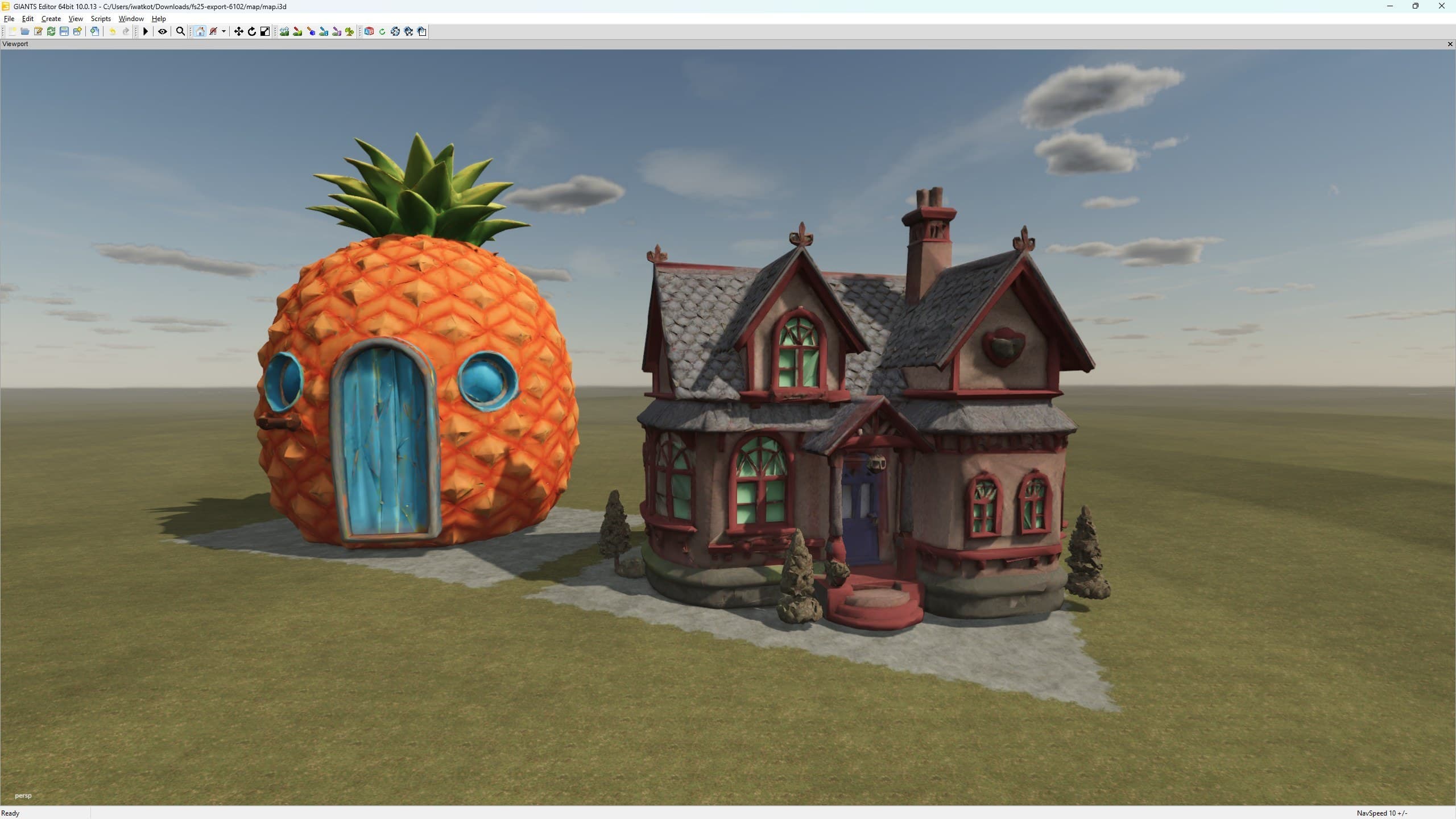
Hey guys.
A lot of you have been using this for a while already, so this is less of a launch and more of me making it official: you can generate 3D models from a prompt, and you can upload your own. It used to be a Patreon feature. It is not anymore. Every plan can do it, Basic included.
How many you keep comes down to your storage, not your plan. A generated model usually lands around 10 MB and Basic comes with 1 GB, so there is room for plenty of them. If you are uploading instead, the file needs to be a textured GLB with everything packed inside it.
There are two places to do it. Assets has a Models tab. Or you can stay in the Editor, select a building, write a prompt, drop in a few reference photos, and carry on working while it runs.
Make It Once, Use It Everywhere
This is the part I like most. The library belongs to your team, not to one map. Make a barn today and it is waiting in every project you open after that, and in every game whose export already handles models. Today that means Farming Simulator 22 and 25. When another game gets model support, everything already in your library comes with it. You never make the same barn twice.
The export handles the tedious part. In Farming Simulator 25 a second, lighter version of the mesh is built for you, and the visible range is set from the real size of the model, so a village full of your own buildings does not eat the frame rate you were saving for the tractors.
Meshy Does the Generating
The generation itself is done by Meshy. You bring your own Meshy key, and the credits are yours, spent on your own account. MapToPlay does not resell them and there is no shared key hiding behind the button.
I want to be clear about this: I am not affiliated with Meshy in any way. No partnership, no deal, nobody asked me to write this. I simply think what they built is very good, and the price is fair for what comes back. Prompts work, reference images work, and you are waiting minutes rather than evenings.
If you have been around this project for a while, you know I am not a 3D artist. Blender and I have an arrangement: I open it, it shows me nine hundred buttons, and we agree to see other people. So being able to describe a building and get a usable one back is the difference between a map wearing the same twelve stock sheds and a map that looks like an actual place.
For me this changed what I can build on my own. I hope it does the same for you.
Stan, Developer of MapToPlay